
MASCOTS FOR 404 PAGES
A wrong turn. A familiar face.
A 404 page is still part of your product. Use your mascot to acknowledge the detour, then make the way back obvious. A puzzled expression and one clear action are often enough.
Real CreateMascot artwork. Screen copy below is an example you can adapt.
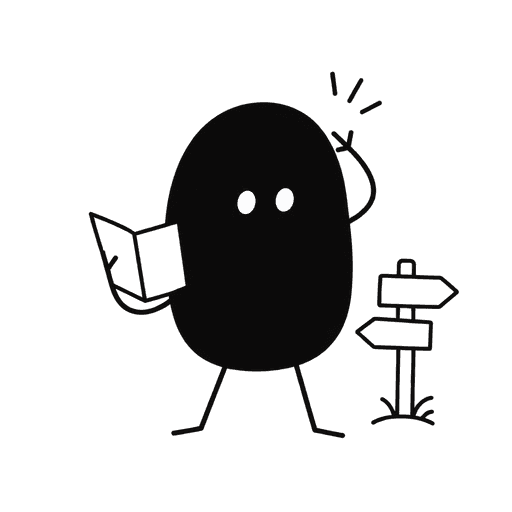 This page wandered off.
The link may have changed. Let’s get you back to your workspace.
Go to dashboardMake the moment useful.
A missing page can mean an outdated bookmark, a moved document, or a mistyped link. The illustration should make that moment feel considered while the message explains what the visitor can do. Keep the character recognizable so the page still belongs to your brand, even when the content is missing.
Point toward recovery
Turn the character toward the home or dashboard link. Use a map, signpost, or gentle shrug as the visual cue; keep the primary action outside the image.
Keep the joke small
A light expression works for a missing page. Avoid blaming the visitor or hiding the explanation behind a clever line. For missing account data, use direct, reassuring copy.
Design for a narrow screen
Start with a square illustration above the heading. Check the silhouette at about 200 CSS pixels and make sure the recovery link is easy to reach on a phone.
Try this scene prompt.
Approve your mascot and style first, then adapt this example brief for the scene you need.
Use my approved mascot and brand style. The character studies a small folded map beside a simple signpost, with a mildly puzzled but friendly expression. Keep the face, proportions and signature details unchanged. Square composition, full character visible, generous clear space. No lettering or numbers; I will add the 404 message in the interface.
Compare the result with your approved reference: face, silhouette, colors and permanent details. Generative results can vary; review each illustration before using it.
From illustration to interface.
Return an actual HTTP 404 for a missing URL, even when the page looks polished. Keep the heading and recovery links as HTML. If the art only reinforces the nearby message, use an empty alt attribute so screen readers can move straight to the useful information.
You receive PNG artwork. Add your own text and controls in your product or design tool; the image is not an editable SVG or a working screen.
See how one Nellie reference became five illustrations ↗A few useful answers.
Should the number 404 be inside the illustration?
Keep it in the interface when possible. HTML text stays sharp, can be translated, and does not depend on generated lettering being correct. The mascot can provide the visual story on its own.
Can I use a mascot I already have?
Yes. Upload artwork you own or have permission to adapt, approve its identity and style, then request the 404 scene. Compare the result with your reference before publishing.
Same character. Next moment.
Mascots for empty states
Your first project starts here.
Mascots for onboarding
Make yourself at home.
Mascots for error states
The upload didn’t finish.
Give your product a familiar face.
Start with your own artwork or describe a new character. Approve its identity and style, then generate the scenes you need.
Maker Pack: $20 once for 200 credits. A square image uses 5 credits; a landscape placement uses 8. Generation requires credits.